


Artwork Guidelines & Templates
The way you need to set up your artwork for printing is basically the same, irrespective of whether you are preparing artwork for a business card, leaflet or packaging etc.
Artwork Guidelines...
Crop Marks and Bleed:
Corner Crop Marks, (shown in the red circle below), show where we need to cut the paper or card.
Your artwork should extend beyond the final cut size, (represented by the red dashed line), by 3mm or more. This is called Bleed.
Your artwork should extend beyond the final cut size, (represented by the red dashed line), by 3mm or more. This is called Bleed.
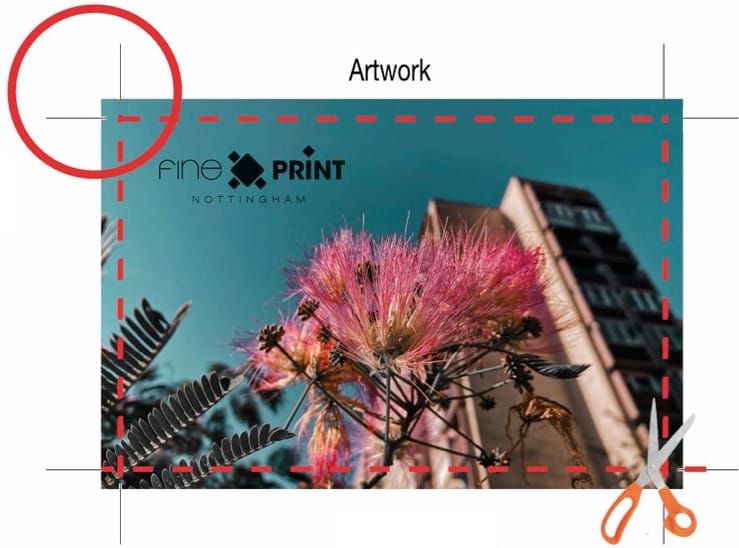
This image shows the Corner Crop Marks, (shown in the red circle) and the background image extended into the bleed area.
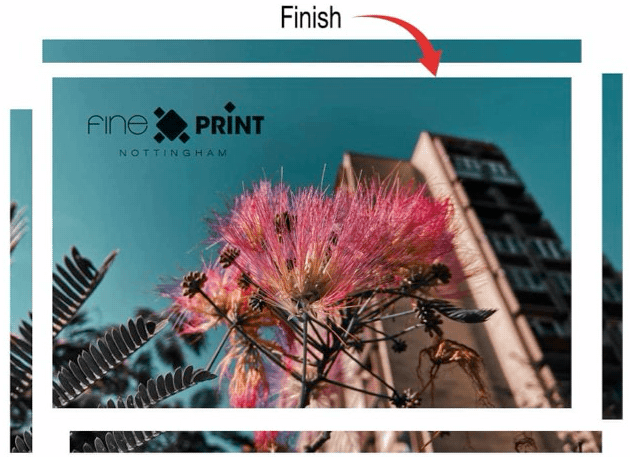
This image shows how the image will look after trimming to the crop marks. The bits of the image in the bleed area are discarded.

This PDF would not be correct - as it has no crop marks and no bleed.
Note: If your artwork has nothing that goes to the very edge of the page - then it would be OK to provide a PDF like this!

This PDF would not be correct - as it has no bleed and the crop marks are right up against the corners of the artwork

This PDF would not be correct - the crop marks are now correctly offset from the artwork, but there is still no bleed.

This PDF is now correct - the crop marks are now correctly offset from the artwork and bleed has been added.
Generally, please add 3mm of bleed and offset the crop marks by the same amount.
Colour Management
Depending upon what you are having printed, you will get the very best colour matched results by following these guidelines:
The following list shows our recommended colour settings to ensure accurate colour matching and the best colours…
Fine Art, Photographic & Giclee Printing - Use RGB and see notes below regarding colour profiles.
Leaflets, Booklets, Stationery, Business Cards & General Posters - CMYK preferable, but RGB is acceptable. (Pantone Colours are also an option if we are printing using 'Lithographic Printing'.
Large Posters, Display Graphics & Banners - RGB or CMYK (RGB for more vibrant colours).
Game Boards - RGB or CMYK (RGB for more vibrant colours).
Game Tiles & Counters - RGB or CMYK, (CMYK for accurate reproduction).
Playing Cards & Boxes - RGB or CMYK, (CMYK for accurate reproduction).
Game Boxes - RGB or CMYK, (CMYK for accurate reproduction).
Stickers - RGB or CMYK, (CMYK for accurate reproduction).
Leaflets, Booklets, Stationery, Business Cards & General Posters - CMYK preferable, but RGB is acceptable. (Pantone Colours are also an option if we are printing using 'Lithographic Printing'.
Large Posters, Display Graphics & Banners - RGB or CMYK (RGB for more vibrant colours).
Game Boards - RGB or CMYK (RGB for more vibrant colours).
Game Tiles & Counters - RGB or CMYK, (CMYK for accurate reproduction).
Playing Cards & Boxes - RGB or CMYK, (CMYK for accurate reproduction).
Game Boxes - RGB or CMYK, (CMYK for accurate reproduction).
Stickers - RGB or CMYK, (CMYK for accurate reproduction).
Our large format printers, used for reproducing fine art & photography, have special RGB inks that can reproduce RGB colours more closely. So if this is the service we are offering you - please keep your files as RGB, (with a wide colour gamut ICC profile).
Colour Profiles...

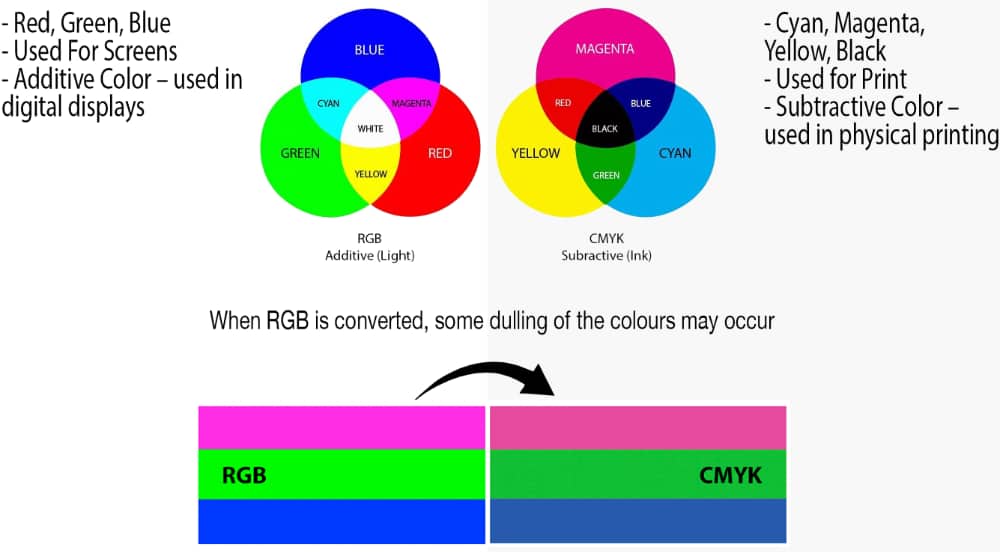
If you look carefully at the colour comparison chart, you will see that the various RGB colours contain a greater/wider range of colours compared to CMYK colours, used in most commercial printing presses. Choosing the correct colour profile is important at the very start of any printing workflow - to help ensure consistent colours are reproduced every time.
A lot of entry level camera's shoot in S-RGB, better cameras often have options to shoot in a wider colour gamut such as Adobe 1998.
If your files are S-RGB we will print in S-RGB to ensure colour accuracy. If you work in Adobe 1998 - we will printing in Adobe 1990 to help achieve stunning results!
A lot of entry level camera's shoot in S-RGB, better cameras often have options to shoot in a wider colour gamut such as Adobe 1998.
If your files are S-RGB we will print in S-RGB to ensure colour accuracy. If you work in Adobe 1998 - we will printing in Adobe 1990 to help achieve stunning results!
RGB vs CMYK, what's the difference?...
Pantone & Spot Colours
One of Fineprint's strengths is that we can print Pantone colours, also known as Spot Colours.

Pantone colours are commonly used where a company's branding needs printing accurately time and time again. For example the Cadbury's well known Purple Colours used on most of their chocolate bars. The retail shop 'Boot's' is also a well known brand that uses a Spot Colour Blue in its branding, packaging and signage.
Pantone colours can be used alongside CMYK colours or by themselves. Within the range are a vast number of colours that are more vibrant than CMYK colours, including fluorescent colours and gold & silver metallic colours.
For more information please take a look at The official Pantone Colours Website.
Printing & Packaging templates

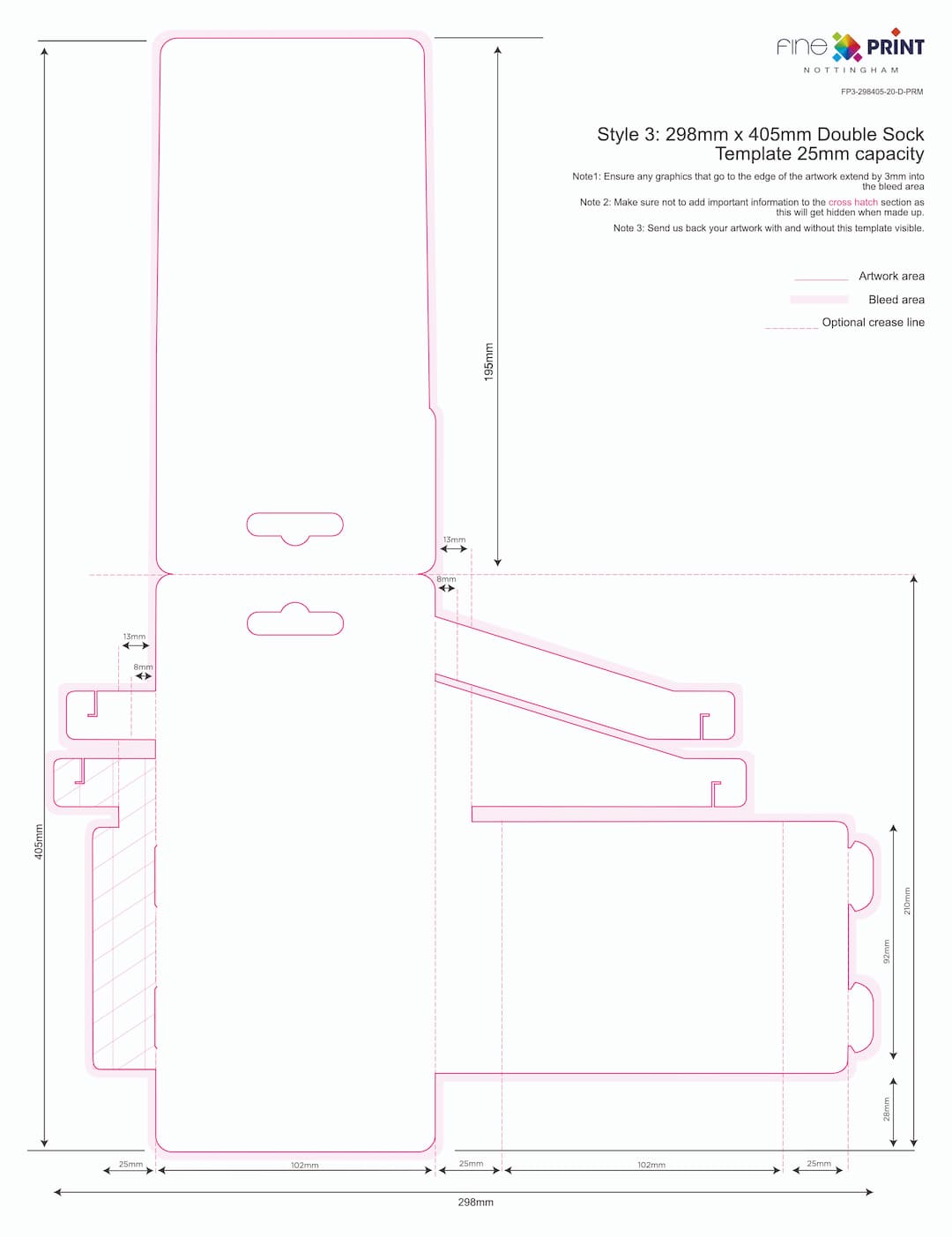
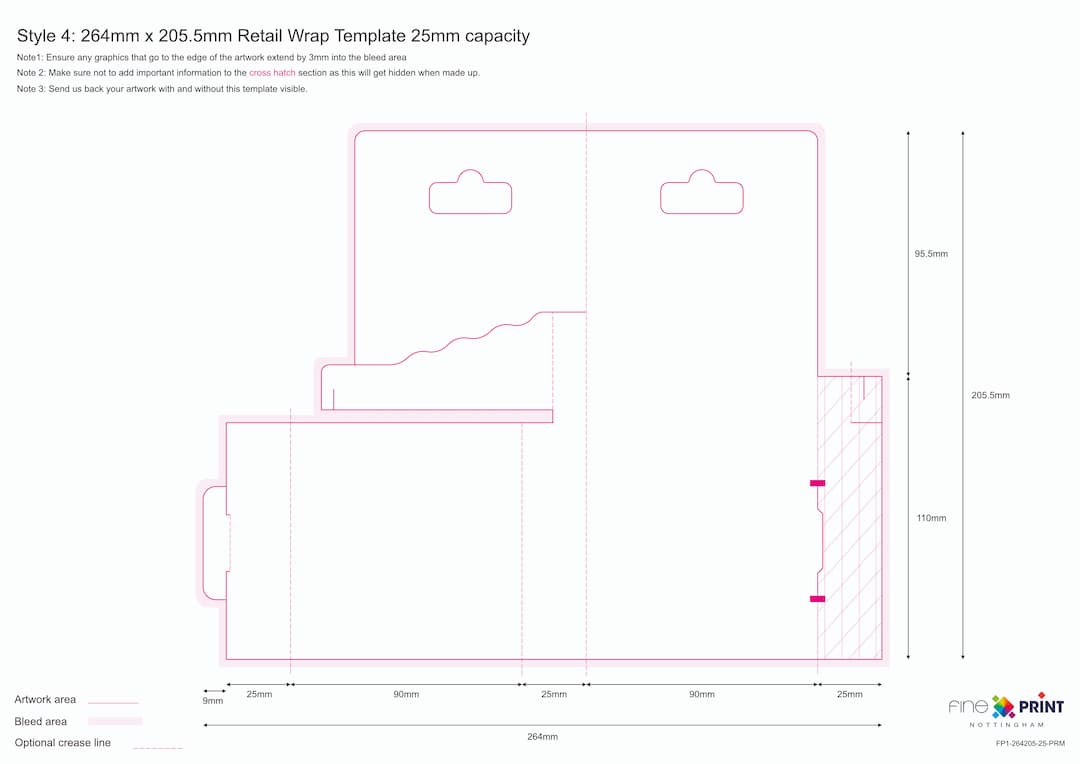
Below you'll find a list of our current printing & packaging templates for you to freely download and use.
They can be used as a start point, to help you create your artwork for our printing and die-cutting processes.
If you can't find what you're looking for - please feel free to get in touch with us.
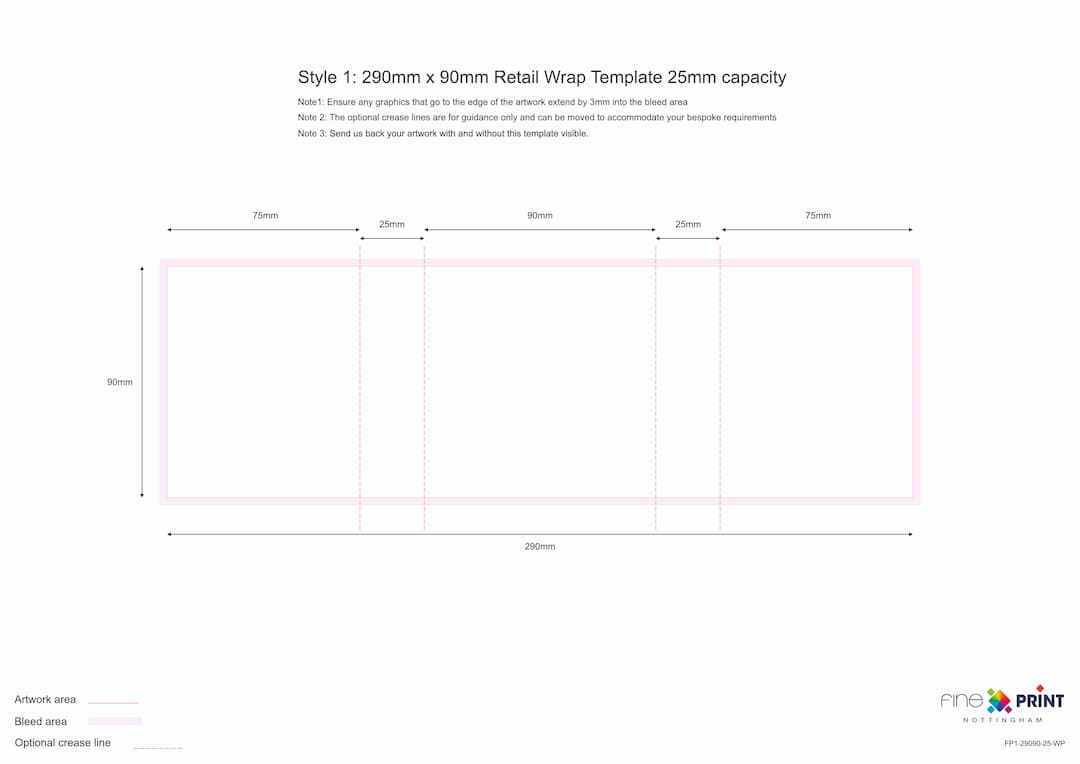
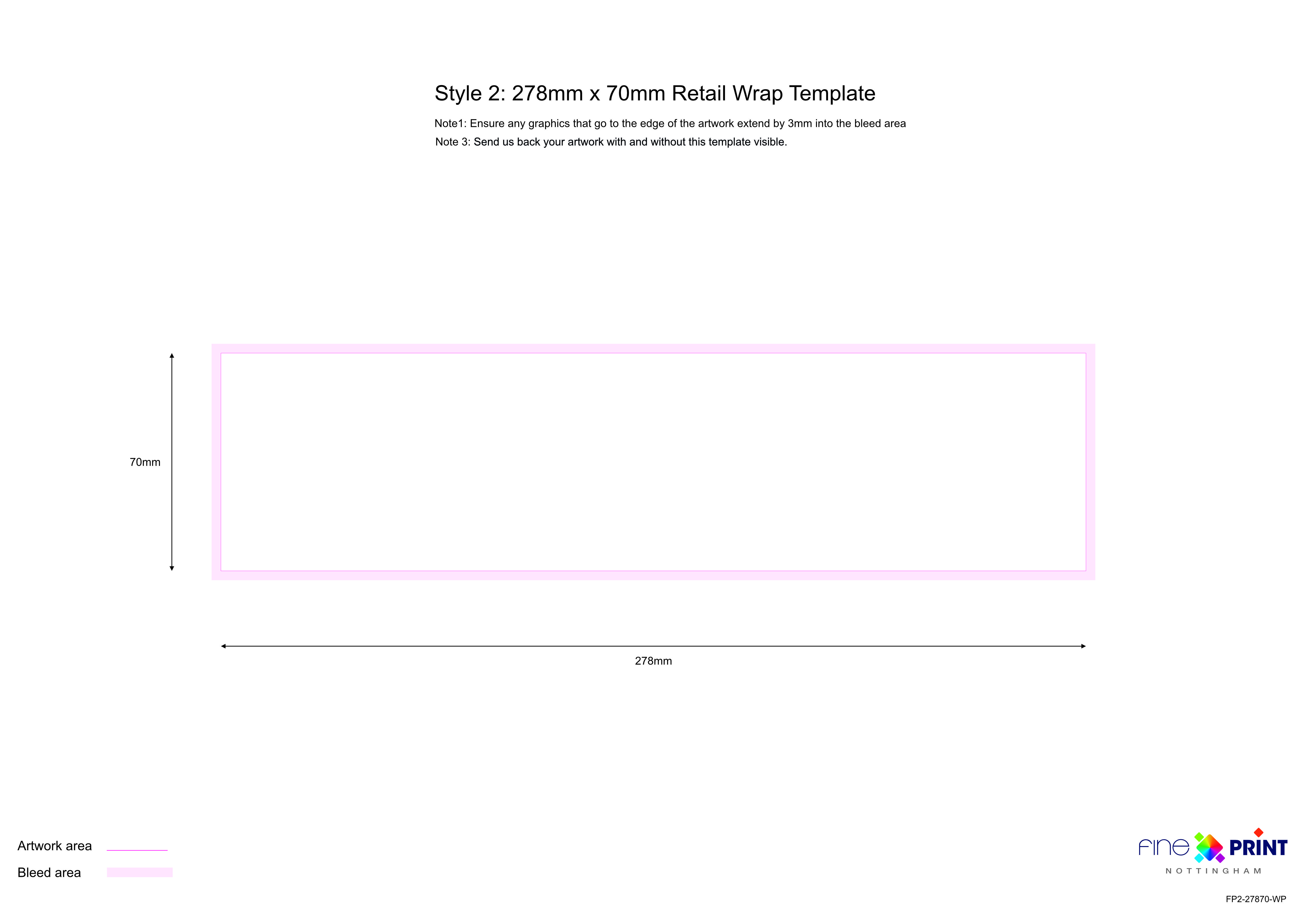
Please click on one or more of the PDF templates below to download them:


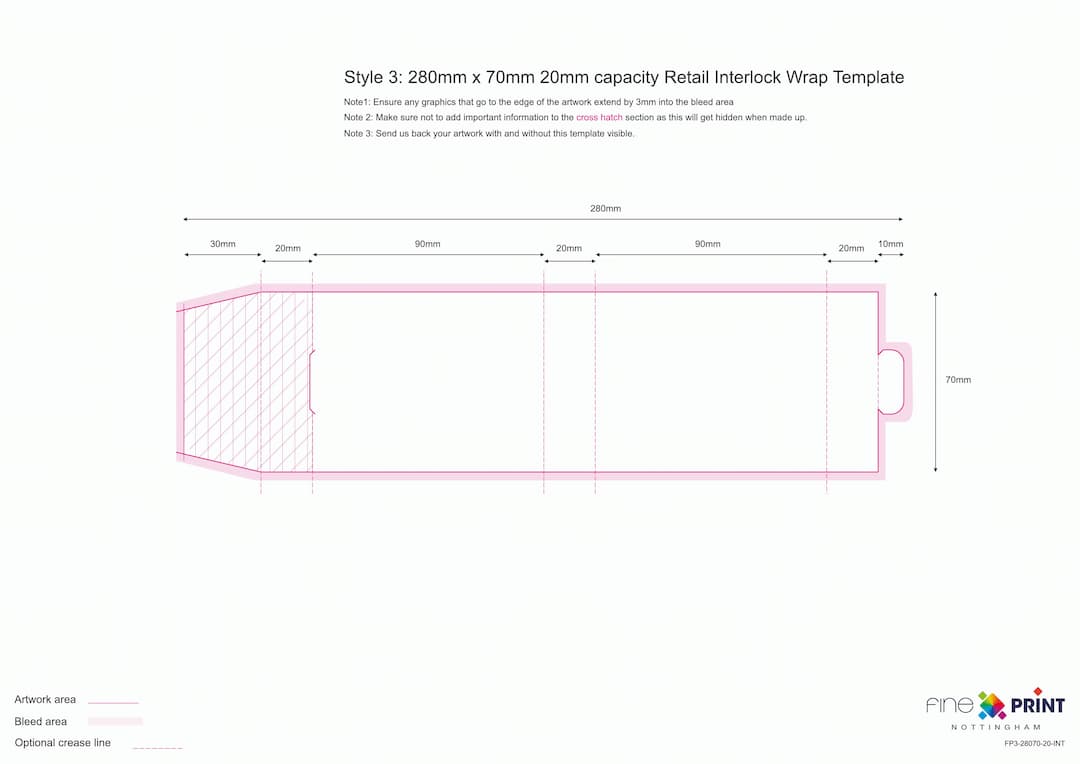
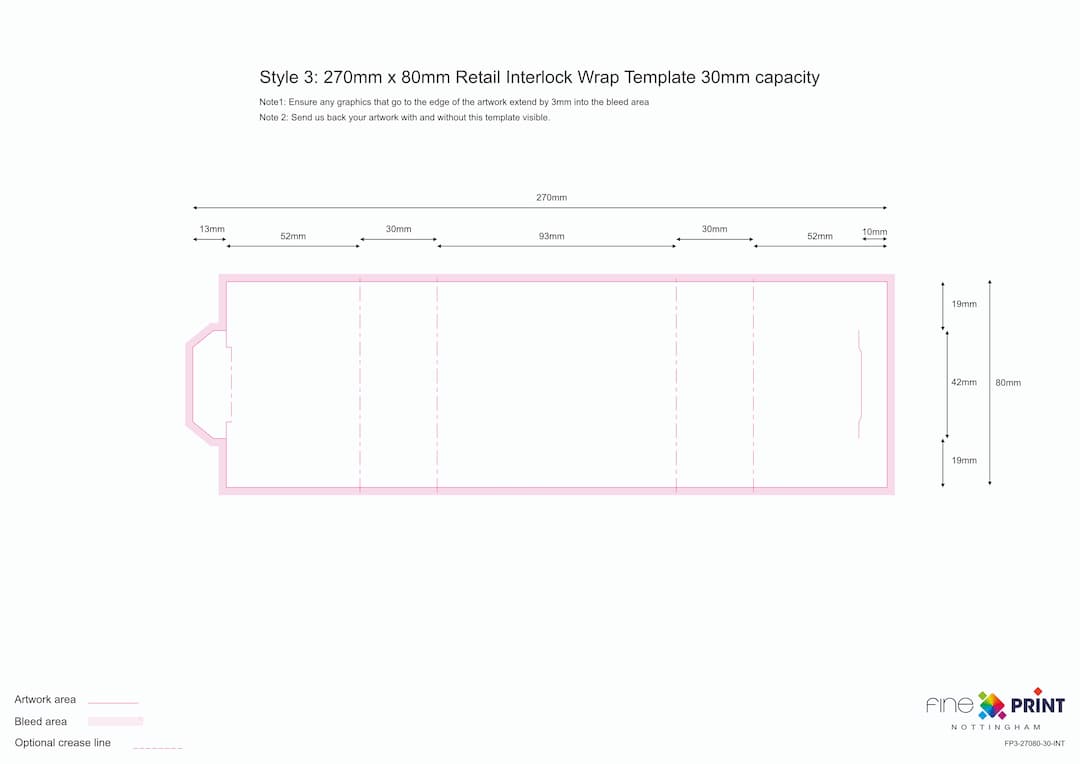

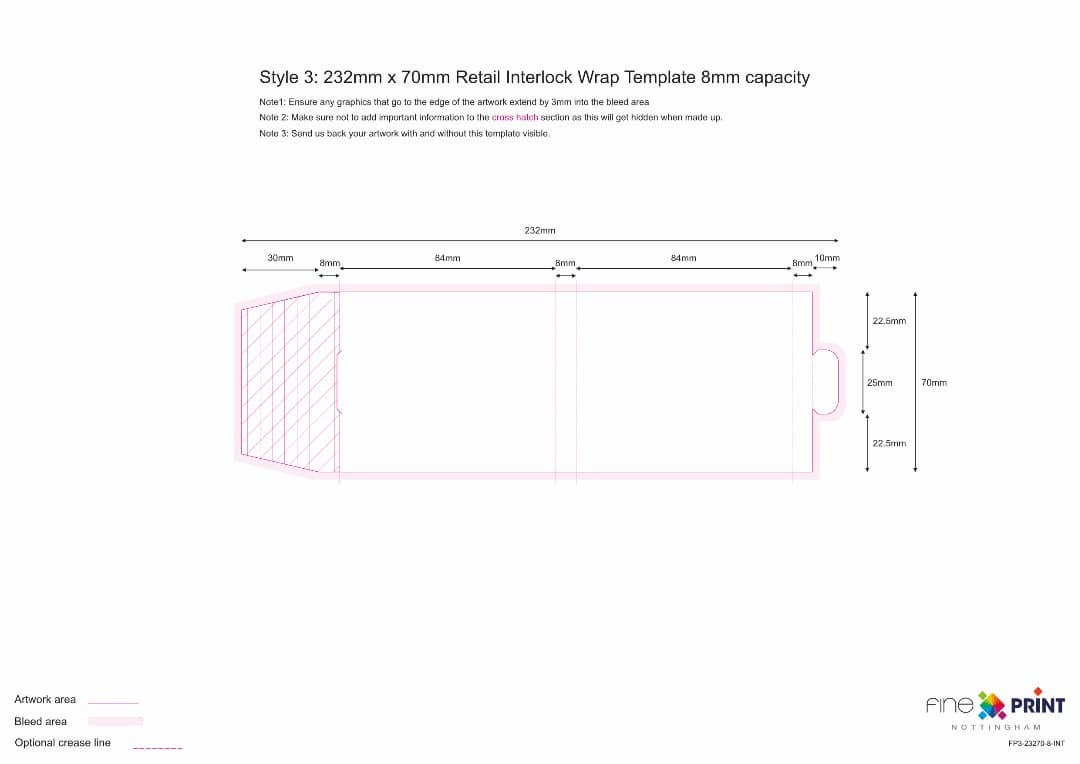
Please click on one or more of the PDF templates below to download them:
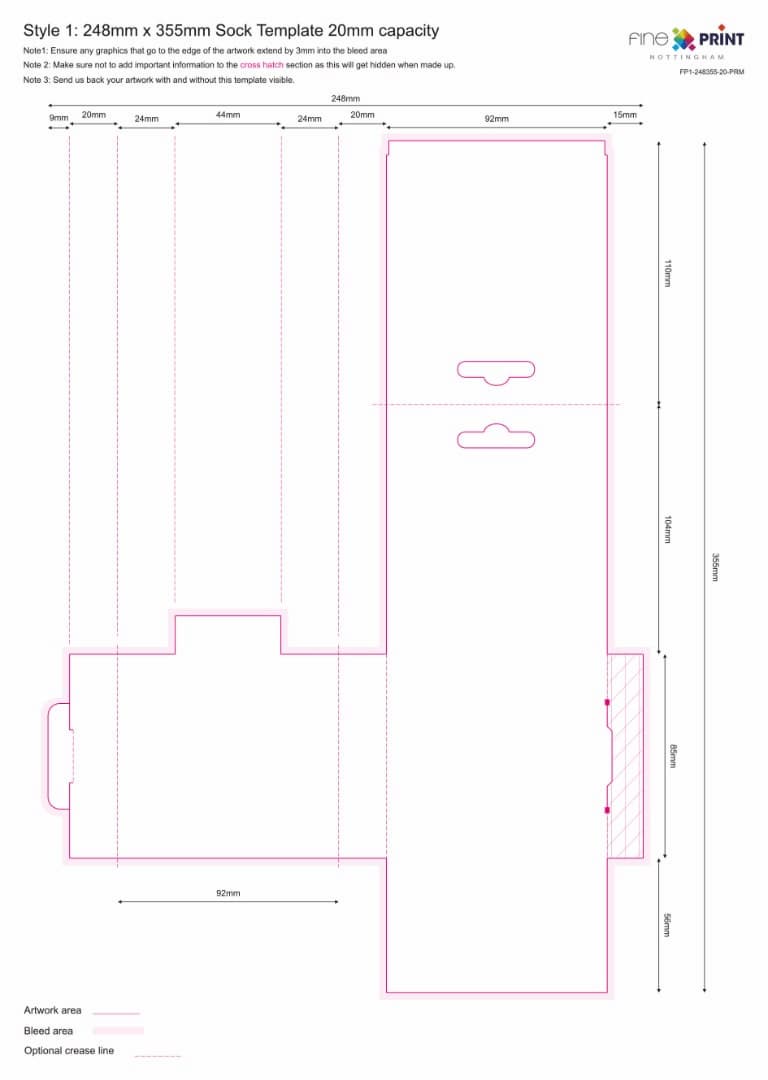
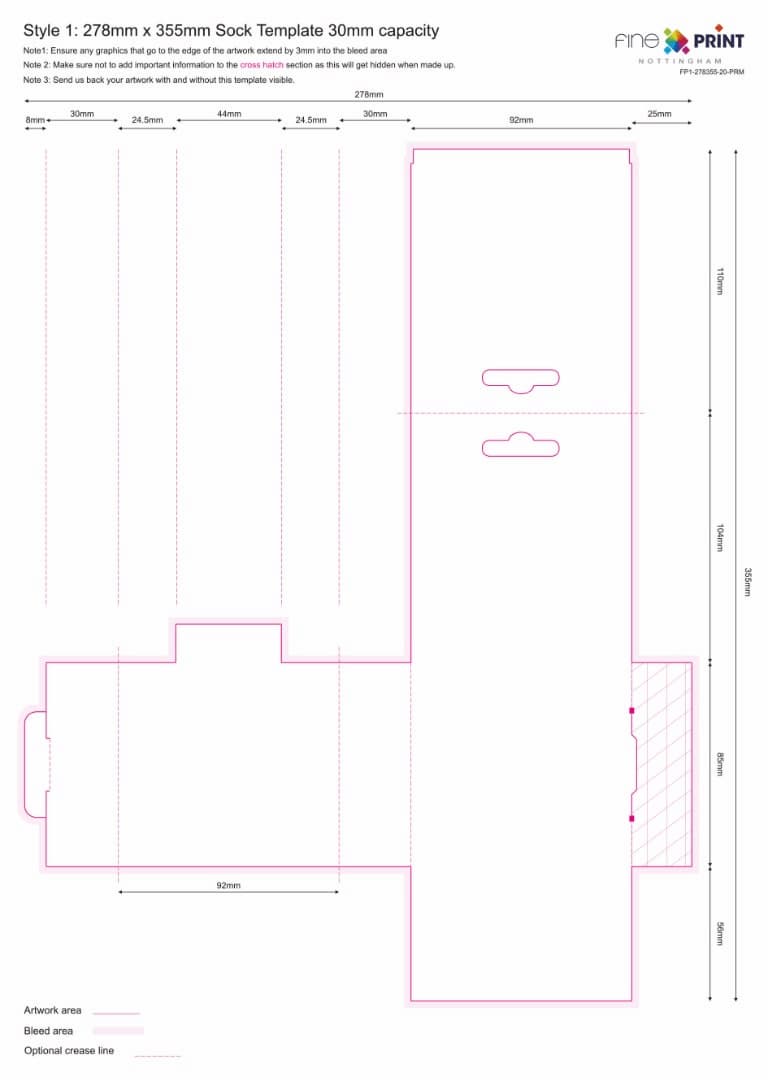
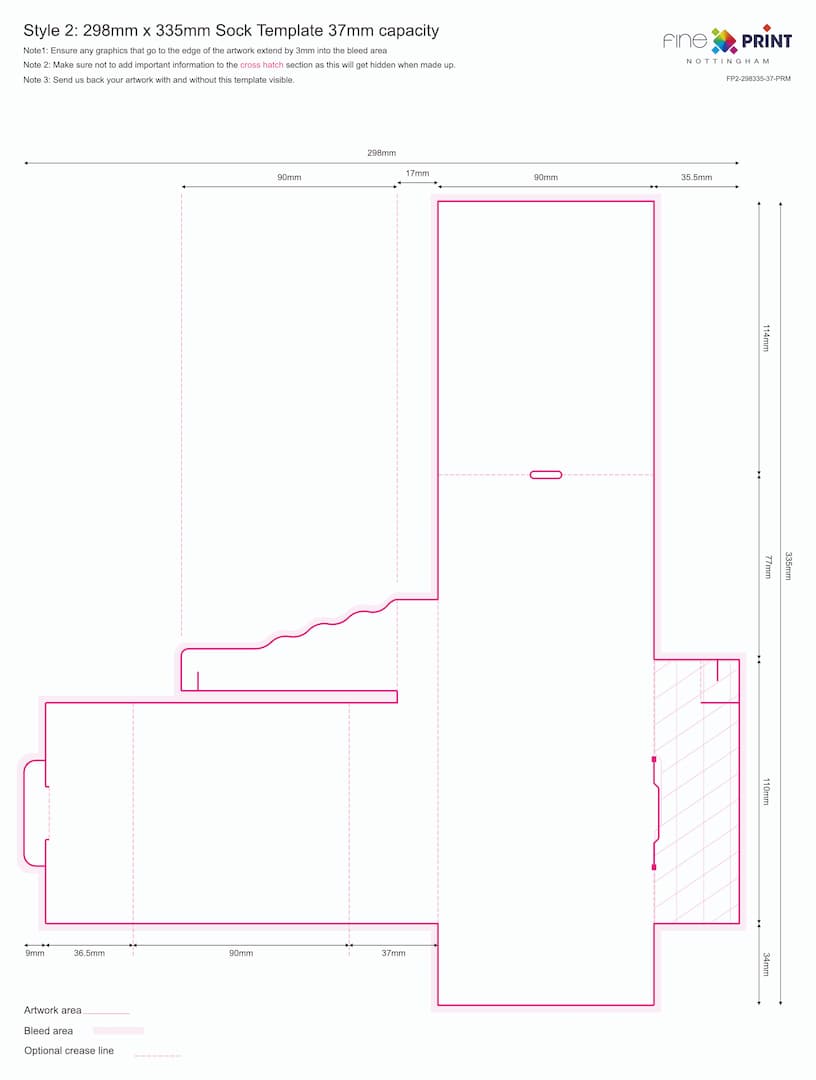
Please click on one or more of the PDF templates below to download them:

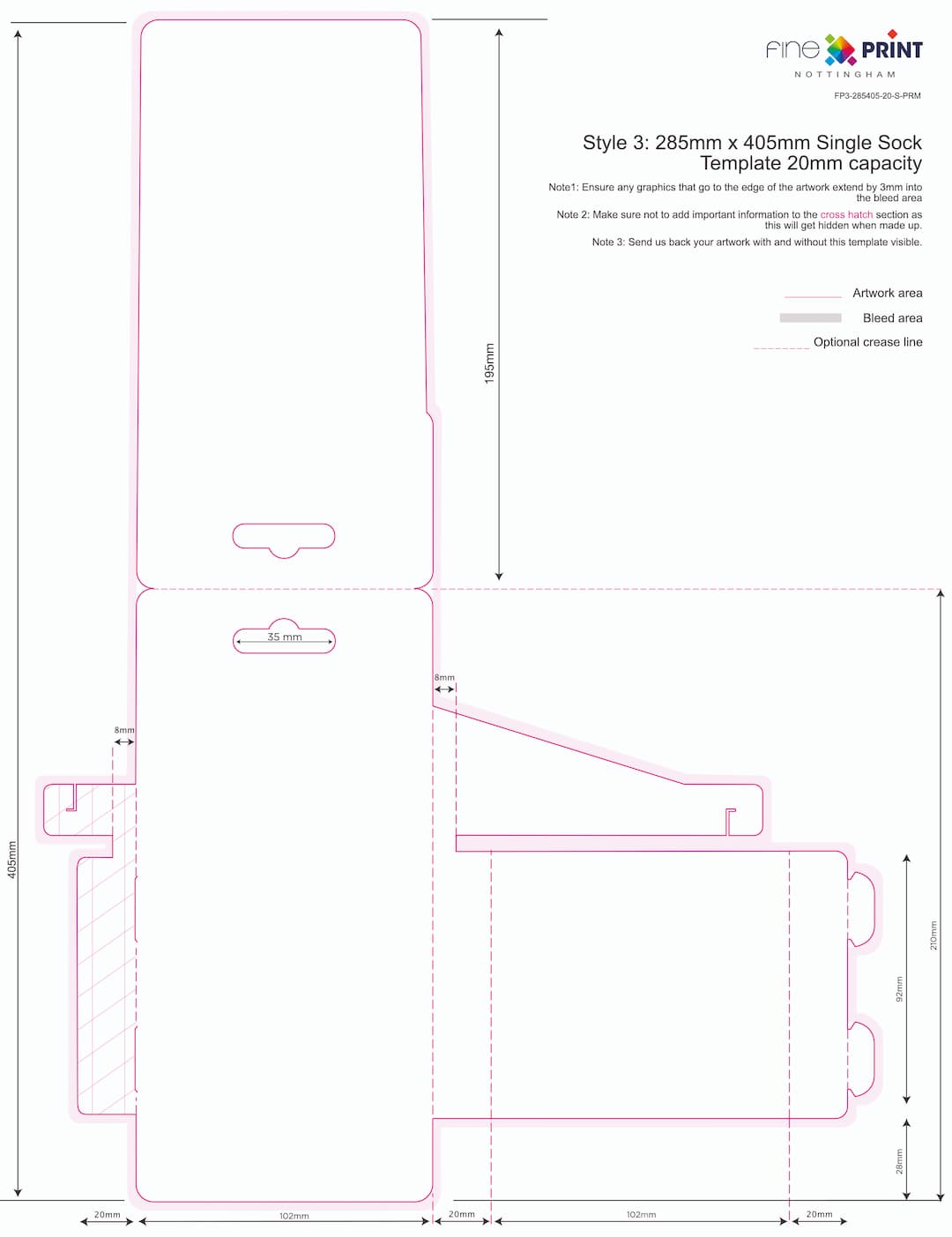

For short runs & creative print solutions - Check Out Hayman Creative,
Our Print Partners Since 2024

Contact Us:
Tel: 0115 9111 700
Email: sales@fineprintltd.co.uk




Fineprint Nottingham Limited
Fineprint House,
Hooton Street,
Nottingham NG3 2NJ
Fineprint House,
Hooton Street,
Nottingham NG3 2NJ
Opening Times:
Monday to Friday
8am to 5pm
8am to 5pm
Useful Links:




We love cookies, do you?
By using our website, you agree to our use of cookies. We use them to make your experience better and to keep the site running smoothly.
